


Food & Drink · iPhone · iOS 26+
Meal Planner
Plan smarter. Eat better.
Your week of meals in one tap — 156 bilingual recipes, an automatic week planner, live macros and a shopping list that builds itself.
About
What is Meal Planner?
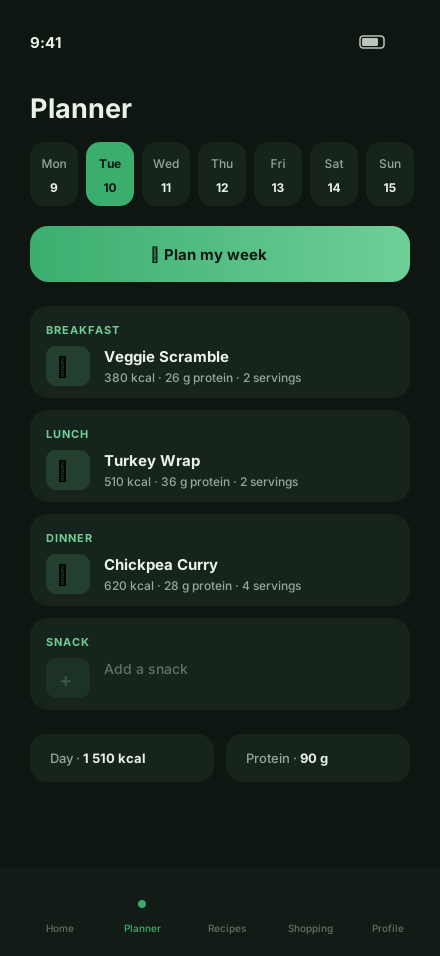
Meal Planner answers the questions every kitchen asks: what should I eat today, what do I buy this week, and how do I hit my protein goal? Pick your goal, household size and budget, and Plan My Week fills a balanced week of breakfasts, lunches, dinners and snacks in one tap — no recipe repeats, calories allocated sensibly across the day.
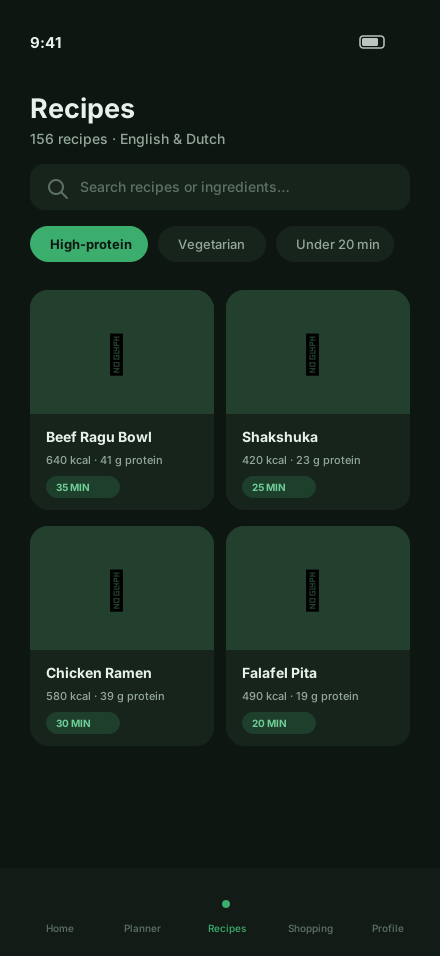
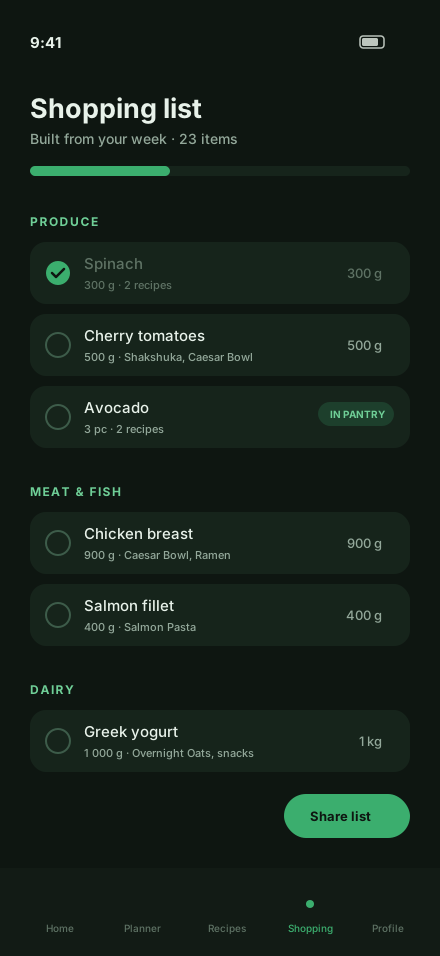
Behind it sits a library of 156 hand-written recipes in English and Dutch, each with per-serving macros, live portion scaling and honest step-by-step instructions. The shopping list generates itself from your planned week, merges duplicate ingredients and groups everything by supermarket aisle. Tick off your pantry and “What can I make?” shows recipes you can cook right now — and exactly which one or two items you are missing.
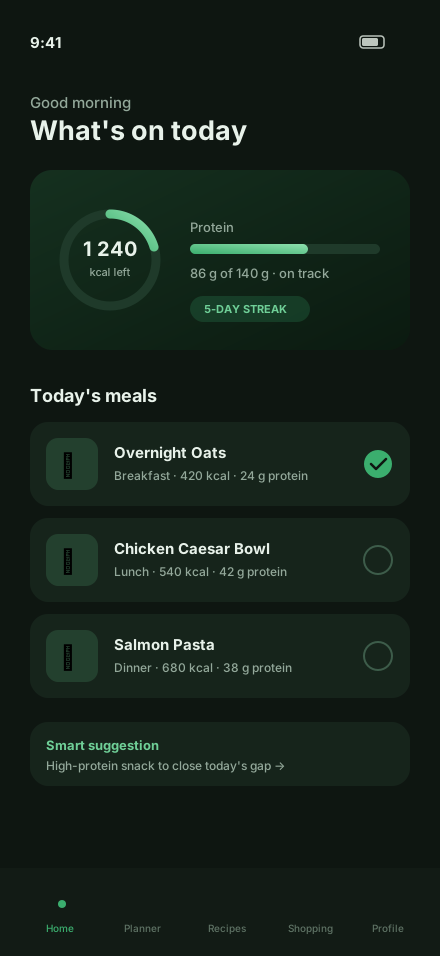
A gentle onboarding estimates your calorie and protein targets, the home dashboard shows what is left for today, and everything runs offline on your device. No account, no tracking, no subscription.
A closer look
Inside the app
Key features
Built around what matters
Plan My Week
People, goal, calories, budget and diet in — a full balanced week out, in one tap. Keep meals you already planned.
156 bilingual recipes
Hand-written breakfasts, lunches, dinners and snacks in English and Dutch, with filters for vegetarian, high-protein, budget, under 20 minutes and more.
A list that builds itself
The shopping list is generated from your planned week: duplicates merged, quantities scaled, grouped by supermarket aisle.
Live macros
Calories and protein remaining for today, day and week summaries, and per-serving macros that rescale with your portions.
What can I make?
Select what is in your pantry and see perfect matches — plus recipes missing just one or two ingredients, named.
Private & offline
No account, no analytics, no ads. Your plans, pantry and targets never leave your iPhone.
Who it’s for
Made for people like you
- Busy households tired of the daily “what are we eating?” debate
- Fitness-minded cooks tracking calorie and protein targets without a food scale app
- Budget shoppers who want one exact grocery list per week
- Meal preppers batch-cooking lunches and grab-and-go breakfasts
Meal Planner is almost here
Currently in final testing. Want to know the moment it launches? Drop us a line.
Privacy
How Meal Planner treats your data
No data collected. No ads, no analytics, no account — plans and pantry stay on your device.
Data collection
Meal Planner collects no personal data. Your meal plans, pantry, shopping lists and nutrition targets are stored only on your device.
Advertising
Meal Planner contains no advertising.
Analytics
No analytics or tracking SDKs are included.
Accounts
No account or sign-up is required.
Storage
All data is stored locally on your iPhone. Deleting the app deletes your data.
Privacy questions
Email support@amsterdamfuturelabs.com— or read the full privacy policy for Meal Planner.
FAQ
Frequently asked questions
Is Meal Planner free?
The app is free to download and use. A single one-time Pro purchase unlocks everything for life — no subscription, ever.
Does the app work offline?
Yes — completely. Recipes, the week planner, shopping lists and your pantry all work without an internet connection.
Is my data stored or shared?
Everything stays on your device. There are no servers, no analytics and no tracking.
Are there ads?
No. Meal Planner is completely ad-free.
Do I need an account?
No account is needed — everything works immediately.
How does Plan My Week work?
Tell the app how many people you cook for, your goal, your budget level and any dietary preference. It fills all four meal slots for every day of the week with balanced, non-repeating recipes — and you can keep any meals you already planned yourself.
Are the calorie targets medical advice?
No. Targets are estimates based on the well-known Mifflin-St Jeor formula, are fully editable, and are clearly labeled as estimates — not medical or dietary advice.
Which devices and languages are supported?
Meal Planner is designed for iPhone and requires iOS 26 or later. The full app — including every recipe — is available in English and Dutch, switchable instantly in settings.
How do I get support?
Email support@amsterdamfuturelabs.com — we aim to reply within two business days.
Support
Need a hand with Meal Planner?
Questions, bug reports, feature ideas — we read everything and aim to reply within two business days.